

Build a program with AI, or pick one of 95
Answer six questions and review the program AI builds for you, or filter the 95-program library by days, level, goal and equipment. You can still build your own split from scratch.
MyGymCoach for self-guided lifters
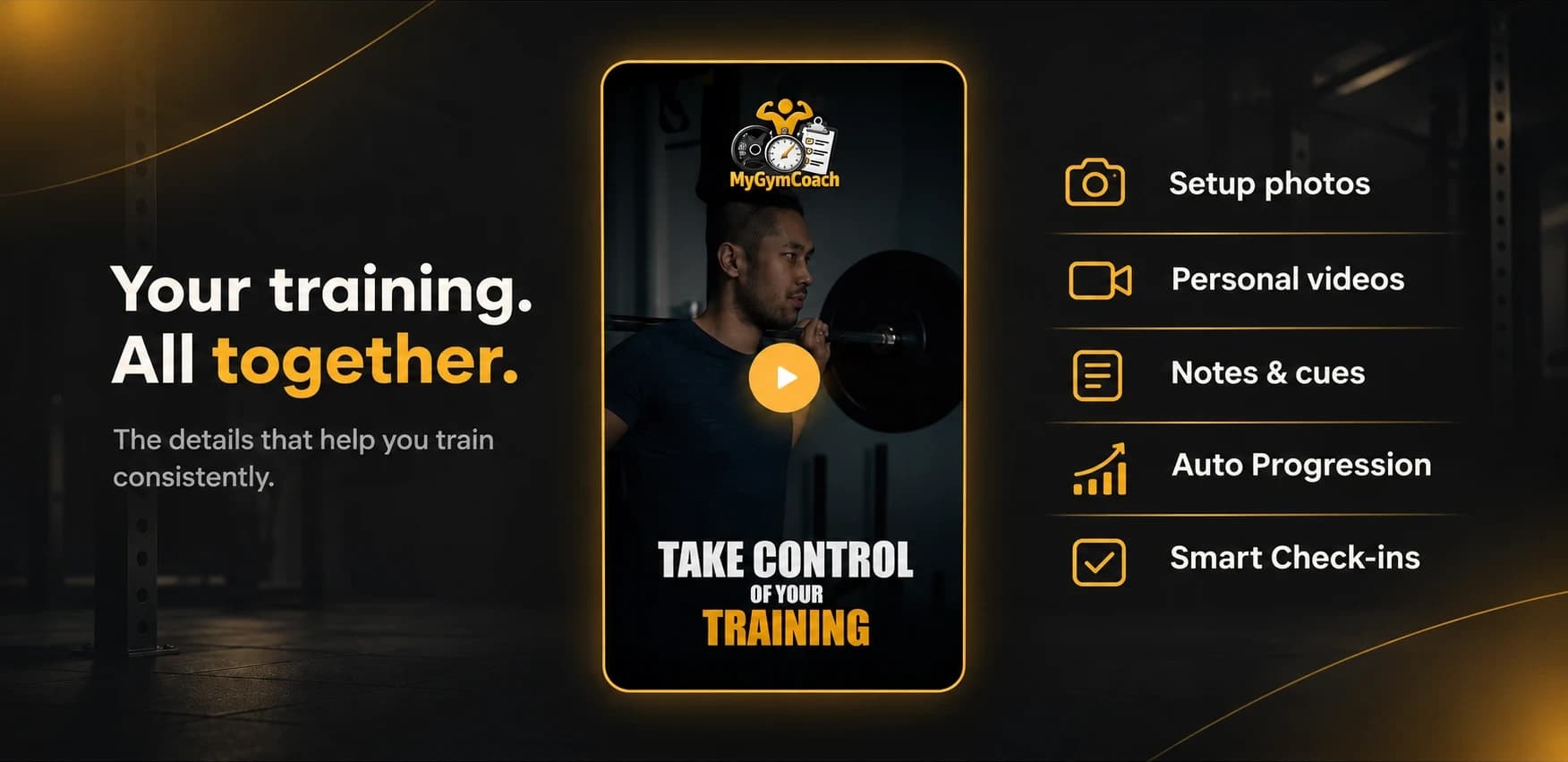
Build your program and set your progression rules. MyGymCoach tracks your results and automatically sets your next workout’s weights and reps.
The details that help you train consistently.
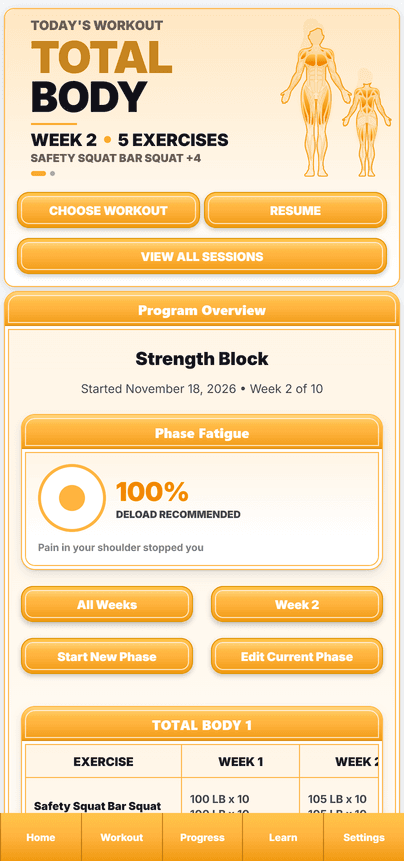
Answer six questions and review the program AI builds for you, or filter the 95-program library by days, level, goal and equipment. You can still build your own split from scratch.
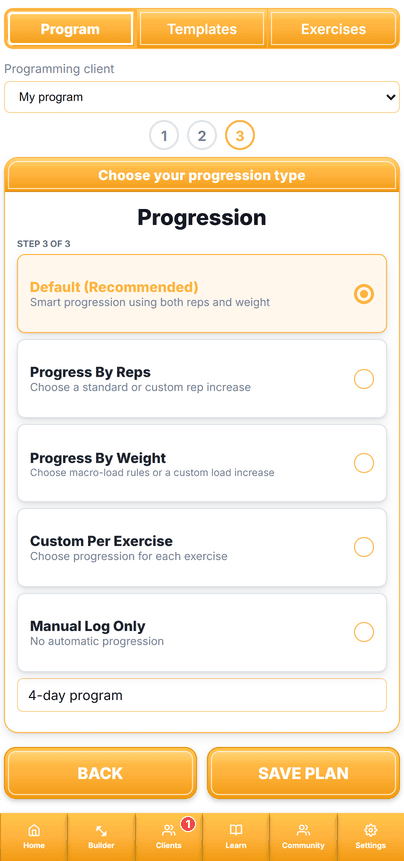
Choose progression by weight, by reps, custom per exercise, or log only. After week 1, the app sets your next targets.
A few quick taps once a week. The app reads your logged sets too, shows how recovered you are as a colour zone with the reason, and tells you when to deload. A phase graph compares every week to week one.
If an exercise keeps stalling, the app recommends split sets so you keep progressing without grinding to failure.
Use the workout card, switch to Sheets view and type like a spreadsheet, or photograph a paper logbook page and it goes straight into your history.
New in the iPhone app: log sets and run your rest timer from your wrist, and bring in steps, sleep, weight and workouts from Apple Health.
Watch demo videos right inside the app, film your own sets, and save setup photos and notes for each exercise.
Typed the wrong weight or reps? Edit a workout after you’ve logged it, and your next targets update if the next workout hasn’t started.
A summary with PRs after every workout, strength trends, weekly sets by muscle, streaks and a workout calendar. Export your sets any time.
Off days are never shown, started or counted as workouts, so your progress only reflects the training you actually did.
Pick a ready-made program, watch your strength climb, and load the bar without the math.
Every feature in the app today, grouped by when you’ll use it. Tap a group to open it.
Your next targets, set for you
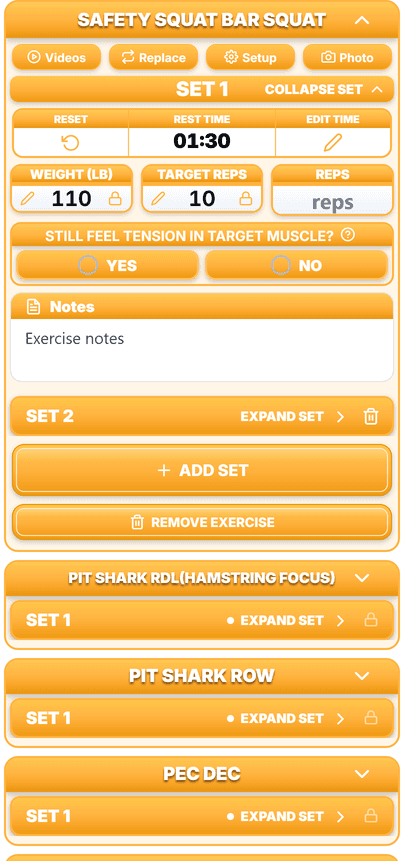
Log weight and reps, answer “did you feel the target muscle?”, and the app sets your next weight and rep targets.
Choose how you progress
By weight, by reps, custom per exercise, or log only and decide yourself.
Split sets when you stall
If an exercise keeps stalling, the app recommends split sets so you keep progressing without grinding to failure.
Fatigue and deload guidance
Fatigue builds from your weekly check-ins, and the app tells you when a lighter week is coming.
Smart weekly check-in
A few quick taps once a week. It reads your logged sets too and shows how recovered you are as a colour zone, with the reason.
Phase progress graph
Each week of your phase against week one, with deload weeks marked.
Progress photos and clips
Add progress photos or short clips to your weekly check-in.
Build a program with AI
Answer six questions, review and swap the exercises, then start the program.
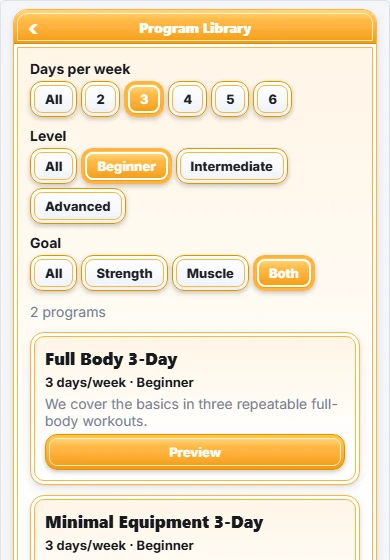
95-program library
Filter by days a week, level, goal, equipment and session length, then copy a plan into your builder.
Program builder
Build or change your own program. Changes start after your current workout.
Guided first setup
New lifters answer a few questions, try a practice workout and enter starting weights before day one.
Muscle map
Front and back body views light up the muscles each workout trains.
Exercise demo videos
Watch the demo on any exercise, browse every exercise, or add your own.
Record your sets
Film a set from any exercise. My Training Videos keeps them by exercise, with notes.
Machine setup and photo
Save your seat height and settings, plus a photo of your setup, on each exercise.
Exercise cues
Coaching cues show right on the workout card, and you can add your own.
Rest timer
Starts after each set. Pause, reset or change the time, and set your own defaults.
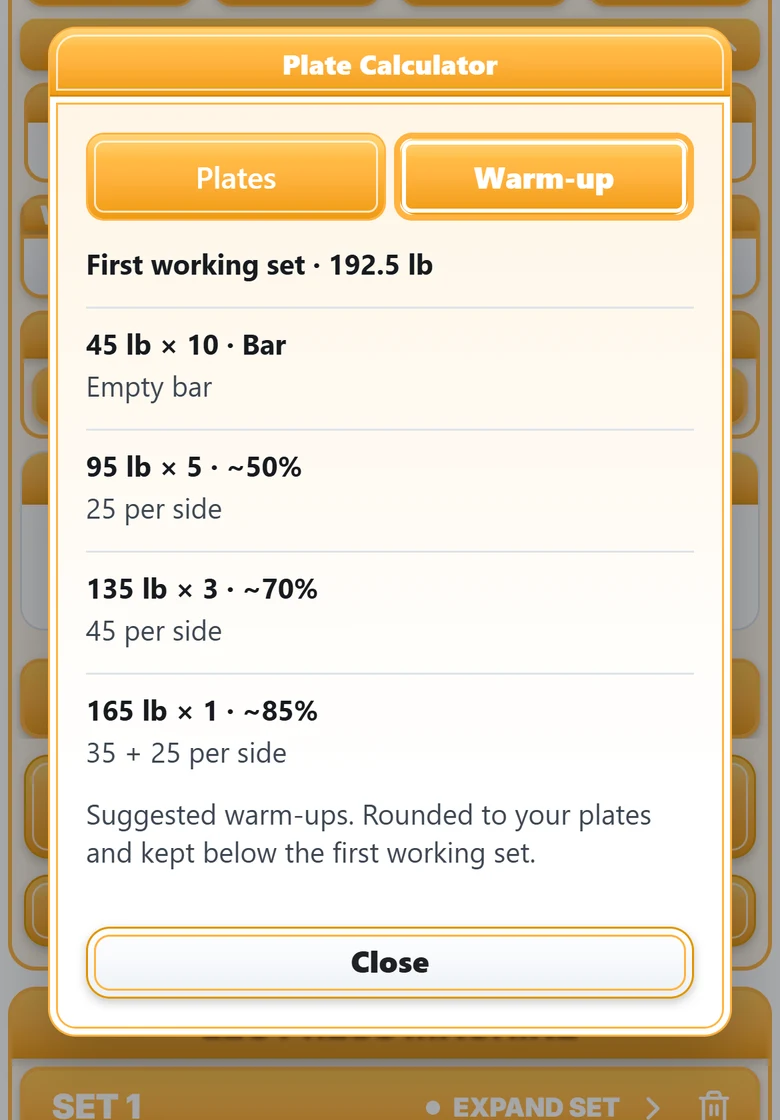
Plate and warm-up calculator
The plates for each side of the bar and your warm-up sets, in lb or kg.
Change targets mid-workout
Change the weight during a set and the rep target updates to match.
Swap an exercise
Machine taken? Tap Replace and use a different exercise.
Your own exercises
Missing an exercise? Add your own in Settings > My exercises.
Sheets view
Log your workout like a spreadsheet with quick shorthand typing.
Scan your paper logbook
Photograph a handwritten logbook page and it goes straight into your workout history.
Workout timer
Tracks how long each workout takes.
Edit a finished workout
Fix a weight or rep you got wrong after the workout is done.
Apple WatchNew on iPhone
See your sets, log weight and reps, answer the target-muscle question and run the rest timer from your wrist.
Workout summary and PRs
Targets met, time, which exercises improved and any new records.
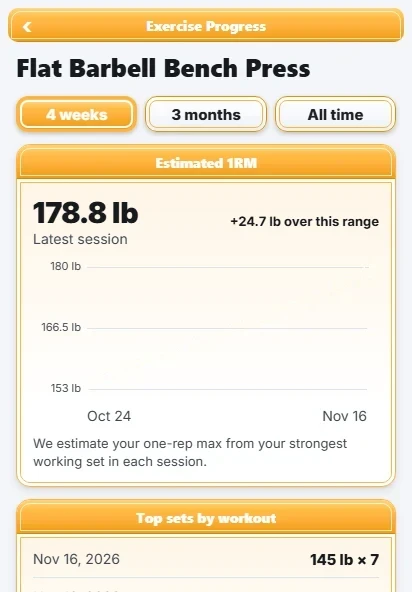
Strength trends
Each exercise’s strength trend, best sets and weekly sets over time.
Weekly sets by muscle
Working sets per muscle this week versus last week.
Workout calendar
Every finished workout on a calendar. Tap a day to open it.
Workout streaks
Weeks in a row trained, with a celebration at each milestone.
Daily steps and mood
Track steps toward a goal and log your mood and energy.
Workout reminders
Pick your days and time, and get a reminder only if you haven’t trained yet.
Export your workouts
Download your completed sets as a spreadsheet, for all time or a date range.
Share workout cardsNew on iPhone
Share a finished workout as an image with a muscle map, sets, volume and PRs.
Apple Health syncNew on iPhone
Bring in steps, sleep, weight and workouts. They show on your check-ins.
Meal plan built to your macros
Set your targets and every meal is sized to match, in its own Nutrition tab.
Training and rest day plans
Separate targets and meals for training days and rest days.
Left today
Calories, protein, carbs and fat left today. Tick off meals as you eat them.
Snap or describe a meal
Take a photo, or type or say what you ate, and the app turns it into foods to add.
Re-balance my day
After a snack or skipped meal, the meals you have left adjust so you still hit your targets.
Weekly grocery list
Your plan added up for the days you pick, ready to tick off in the store.
Recipes with photos
Photos and cooking notes on your meals, plus 20 ready-made recipes.
Share your plan and plan history
Email it or save a PDF with the grocery list, and bring an older plan back.
Learn
How-tos and exercise guides for every level.
Spanish
Use the app in English or Spanish.
Free for 30 days. After that, $20/month or $200/year.
See pricingTo keep training after your free 30 days, choose a plan: $20/month or $200/year.
Yes. You can cancel your subscription at any time.
No. The app sets your next targets and tells you when to deload.
No. Choose a training structure that fits your schedule and build from there.
Yes, plus the iPhone and Android apps.
Free for 30 days, no card.